How to Print PDF Sewing Patterns at Actual Size
A PDF pattern is only accurate if every page prints at exactly the size it was drawn. This guide covers the one setting that matters, where it sits in Adobe Acrobat Reader, Chrome, and macOS Preview, how to check the result, and how to line up and tape the pages.
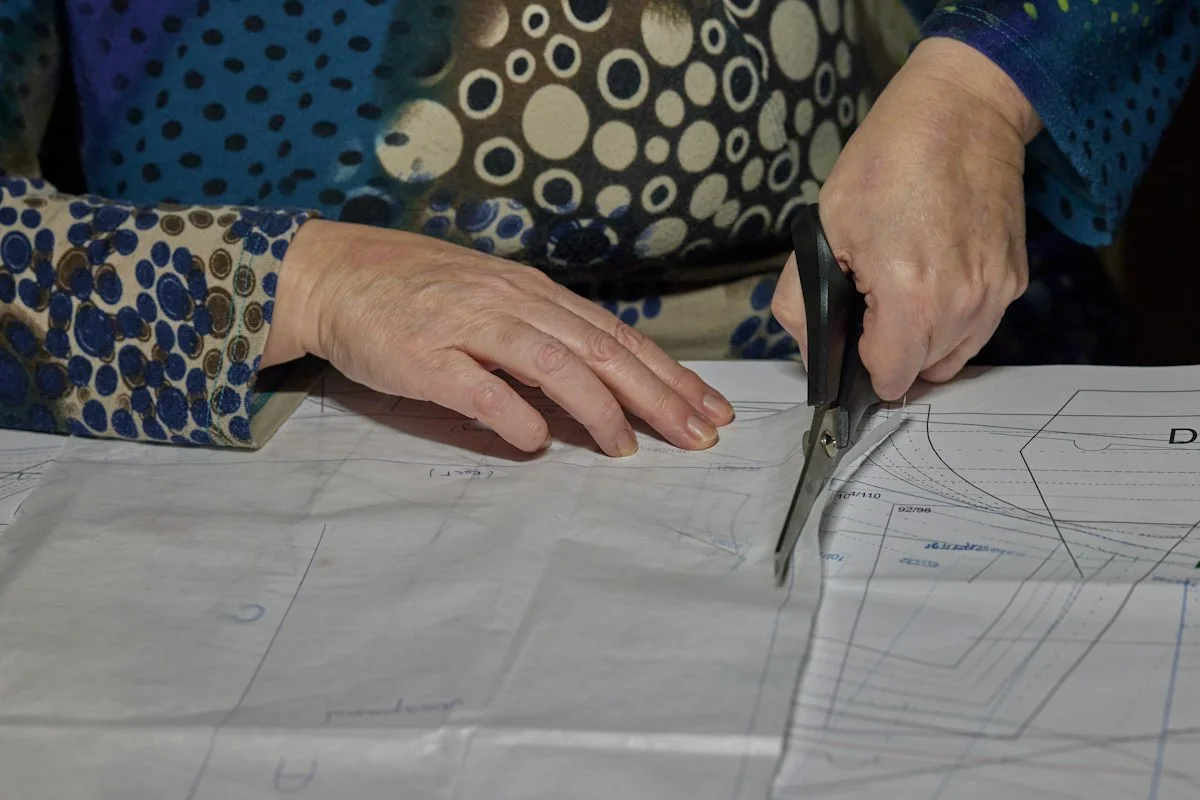
Why Does a PDF Sewing Pattern Need to Print at Actual Size?
A PDF sewing pattern has to print at actual size because it is a full-size pattern cut into page-sized tiles. Every line on it was placed at a real measurement, so the printer has to reproduce it at 100% with no resizing at all. SewDirect tells you to print pages at 100%, also called actual size, and Simplicity says the same about its patterns.
Adobe describes Fit as reducing or enlarging each page to fit the printable area of the paper you selected. When that area is smaller than the pattern page, the page shrinks, and the change repeats on every tile, so the finished piece comes out smaller than the measurements it was drafted from. Actual size, in Adobe's words, prints without scaling.
The test square printed on a PDF pattern shows how large the error is. A 100 mm square that prints at 97 mm has been scaled to 97%, and every line on every tile shrinks by the same 3%, so a seam line drafted at 700 mm comes out at 679 mm.
Where Is the Scale Setting in Adobe Reader, Chrome, and Preview?
In Adobe Acrobat Reader, Google Chrome, and macOS Preview, the setting that keeps a pattern at actual size is the scale:
| Program | Menu path | Setting |
|---|---|---|
| Adobe Acrobat Reader | File > Print, then Size | Actual size, not Fit or Shrink oversized pages |
| Google Chrome | Ctrl + P (⌘ + P on a Mac), then More settings | Scale: 100 |
| macOS Preview | File > Print, then Scale | Scale: 100%, with Scale to Fit unselected |
SewDirect recommends Adobe Acrobat over the web browser version, Simplicity names the free Adobe Acrobat Reader, and both ask for portrait orientation.
How do I print at actual size in Adobe Acrobat Reader?
In Adobe Acrobat Reader on Windows and Mac, open the Print dialog, click Size, and select Actual size. Adobe says Actual size prints without scaling, while Fit would print an A4 pattern on US Letter paper at 94.07% at most.
- Download the PDF to your computer and open it in Acrobat Reader, not in a browser tab.
- Open the Print dialog from the File menu.
- In the page sizing area, click Size and select Actual size. Do not use Fit or Shrink oversized pages.
- Set the orientation to portrait and choose the paper size your file was made for.
- Print the test square page only (usually page 1) and measure it before printing the rest.
How do I print at 100% scale in Google Chrome?
In Google Chrome, open the print window, click More settings, and check that Scale is set to 100. At 100, a 10 cm test square should print at exactly 10 cm.
- Press Ctrl + P on Windows or ⌘ + P on a Mac to open the print window.
- Click More settings.
- Find Scale and make sure it is set to 100, which is regular size.
- Print the test square page and measure it before you print anything else.
Use Chrome only as a fallback. SewDirect warns that browsers and phone apps can add scaling you cannot turn off, so if the square comes out wrong in Chrome, switch to a desktop reader.
How do I print at 100% in macOS Preview?
In macOS Preview, choose File > Print, set Scale to 100%, and leave Scale to Fit unselected. Scale to Fit would print an A4 pattern on US Letter paper at 94.07% at most.
- Open the PDF in Preview and choose File > Print.
- In the Preview section of the dialog, select Scale and enter 100%.
- Leave Scale to Fit unselected. Apple describes it as filling as much of the paper as possible.
- Print the test square page and measure it.
How Do You Measure the Test Square on a PDF Pattern?
The test square is a box of known size on one page of a PDF pattern, and the printed square has to measure exactly what its label says. SewDirect puts it on the first tiled page and asks you to check it before you print all the sheets.
- Print only the page with the square, at Actual size or 100%.
- Use a ruler or tape measure, as SewDirect suggests, and lay it flat along the side of the square.
- Measure both the width and the height, not just one side.
- Divide the measured side by the labeled side to get the print scale.
- If the square is off, do not print more pages. Go back to the scale setting, fix it, and print the square again.
Square sizes vary by maker. SewDirect and Simplicity both use a 1 inch square. Our circle skirt calculator uses 10 cm on A4 and 4 in on US Letter, because a small scaling error is easier to spot on a bigger square.
How accurate is the test square in our PDFs?
The test square in our circle skirt PDFs measures 100.000 x 100.000 mm in the A4 file and 101.600 x 101.600 mm (4 in) in the US Letter file. We measured them inside the generated files with the PyMuPDF library, which proves the file is right but says nothing about your printer, so measure the printed square. The files also ask the print dialog to start with no scaling (PrintScaling: None), but that is only a hint.
How Do You Line Up PDF Pattern Pages?
PDF pattern pages line up by the registration marks printed on them, and each pattern company uses its own:
- SewDirect uses green marks on overlapping pages, which should line up exactly and cover each other.
- Simplicity's Blue Diamond patterns carry numbers and letters in half diamonds that join into a whole diamond.
- Our circle skirt PDFs use cross marks in a 10 mm overlap, 15 mm in from the page edges.
Print the remaining pages only after the test square measures correctly, and keep them in the order they came out of the printer, as SewDirect suggests. For our sample circle skirt on A4, that is 13 pattern pages from a 5 x 3 grid with 2 empty tiles skipped.
How do you tape PDF pattern pages together?
Trim the edges your pattern names, lay every page out by the page map, then tape row by row.
- Trim the edges your pattern tells you to. SewDirect's first method trims the top and right edges of each page along the box edge. Simplicity's Blue Diamond patterns trim the top and left.
- Find the page map. Simplicity prints row and column identifiers at the top of each page, and SewDirect includes a tile layout to follow. On our sample A4 circle skirt, the map runs from A1 to E3: 5 columns, 3 rows, and 13 pages to tape.
- Lay out all the pages before you tape. Simplicity starts with the upper left tile and asks you not to secure the tiles until they all match the layout diagram.
- Tape row by row. Work across row one, then build each new row onto the one above it. SewDirect uses clear tape or a glue stick on the overlap. On our circle skirt PDFs the overlap is 10 mm, with cross marks 15 mm in from the page edges.
How do the circle skirt PDFs line up?
The PDFs from our circle skirt calculator line up with cross marks: lay each page over its neighbor by the 10 mm overlap until the cross marks sit exactly on top of each other. Page 1 holds a page map with column and row labels such as A1 and B1, the test square, and the cutting instruction. Each tile carries its label and a "Page n of N" count.
Each tile page has a 10 mm margin, and its four cross marks sit in the middle of the overlap strip, 15 mm in from the page edges. Both 10 mm values are our own design choices. A unit test checks that the marks on neighboring pages land on the same point of the pattern. Pages that would hold no pattern lines are skipped and crossed out on the map.
To get these files for your own measurements, use the circle skirt calculator. The pleated skirt calculator gives a one-page cutting plan marked not to scale, so work from its numbers instead of tracing it.
What Is the Difference Between A4 and US Letter for Sewing Patterns?
A4 measures 210 x 297 mm and US Letter measures 8.5 x 11 in, which is 215.9 x 279.4 mm. Letter is 5.9 mm wider and 17.6 mm shorter than A4. That gap is why pattern companies offer both: SewDirect lists A4 and US Letter tiling, and Simplicity offers Letter, Legal, and A4 for printing at home.
| Measure | A4 | US Letter |
|---|---|---|
| Size in millimeters | 210 x 297 | 215.9 x 279.4 |
| Size in inches | 8.27 x 11.69 | 8.5 x 11 |
| Largest Fit scale on the other paper | 94.07% on Letter | 97.27% on A4 |
| Pages for our sample circle skirt PDF | 14 | 17 |
Printing an A4 file on Letter paper at actual size cuts off the bottom of every page, because Actual size crops whatever does not fit. Fit saves the edge but caps the scale at 94.07% (279.4 divided by 297), so a 100 mm test square prints at 94 mm or less. Download the file made for the paper in your printer. Both of our skirt calculators offer separate A4 and US Letter downloads.
How many pages does a circle skirt PDF use on A4 and US Letter?
Our sample circle skirt PDF uses 14 pages on A4 and 17 on US Letter. The sample has a 70 cm waist, 55 cm length, full 360-degree circle, 1 cm seam allowance, and 2 cm hem allowance. On A4 the calculator lays it out on a 5 x 3 grid and skips 2 empty tiles, which leaves 13 pattern pages plus page 1. On US Letter it needs a 4 x 4 grid, or 16 pattern pages plus page 1. The same skirt takes 3 fewer sheets on A4, and your own count depends on your measurements.
What Are Common PDF Pattern Printing Mistakes?
Leaving Fit or Shrink on resizes every tile of a PDF pattern, and an A4 file fitted onto US Letter prints at 94.07% at most.
| Mistake | Fix |
|---|---|
| Leaving Fit or Shrink selected | Choose Actual size in Acrobat Reader or set the scale to 100%, and check the setting each time you print. |
| Printing from a browser tab or phone app | Open the saved PDF in a desktop reader. SewDirect warns that browsers and phone apps can add scaling you cannot switch off. |
| Printing every page before checking the square | Print and measure the test square page alone. It has to match its label, such as 1 in or 10 cm. |
| Using the wrong paper size file | Match the file to the paper in your printer. An A4 page on Letter paper loses about 17.6 mm at the bottom. |
| Taping as you go | Arrange every page in its spot first. Simplicity asks you not to secure the tiles until they match the layout diagram. |
| Trimming the wrong edges | Follow the pattern. SewDirect trims the top and right edges, Simplicity Blue Diamond patterns the top and left. |
Frequently Asked Questions
Why does my printed sewing pattern come out too small?
A printed sewing pattern comes out too small when the print dialog resizes the page. In Adobe Acrobat Reader, Fit reduces or enlarges each page to the printable area of the paper, so a full-sheet pattern page comes out a little smaller. The test square shows by how much: a 100 mm square that measures 97 mm was printed at 97%. Set Size to Actual size, or the scale to 100% in other programs, and measure the test square again before you print the rest.
What size should the test square on a PDF pattern be?
The test square size depends on the pattern company, so read the label printed next to the square. SewDirect and Simplicity both use a 1 inch square. The PDFs from our circle skirt calculator use 10 cm on A4 and 4 in (101.6 mm) on US Letter. Whatever the size, the printed square should measure exactly what its label says.
Can I print an A4 PDF pattern on US Letter paper?
An A4 PDF pattern does not print reliably on US Letter paper. A4 is 210 x 297 mm and US Letter is 8.5 x 11 in, which works out to 215.9 x 279.4 mm. Letter is wider but about 17.6 mm shorter, so an A4 page printed at actual size on Letter loses its bottom edge, because Actual size crops anything that does not fit. Download the version made for the paper you have.
Should I print PDF patterns from Chrome?
PDF patterns print more reliably from a desktop PDF reader than from Chrome, so download the file first. SewDirect warns that web software such as Google Chrome or phone apps can add unwanted scaling you are not able to turn off, and recommends Adobe Acrobat. If you have to use Chrome, open More settings in the print dialog and check that Scale is 100, so a 10 cm test square prints at 10 cm.
In what order do I tape PDF pattern pages together?
PDF pattern pages are taped together in the layout shown on the page map on the first page. On our sample A4 circle skirt, that map runs from A1 to E3, a grid of 5 columns and 3 rows with 13 pattern pages to tape. Simplicity starts with the upper left tile, works across row one, and then builds each row onto the last. Lay every trimmed page out in its spot first and only tape or glue once the whole layout lines up.
Can I take a PDF pattern to a copy shop instead?
A copy shop can print a PDF pattern if the pattern includes a large-format file. Simplicity offers A0 files, which a copy shop can print on 48 x 36 inch sheets, and it asks for those to be printed at Actual Size (100%) as well. Our skirt calculators make tiled A4 and US Letter files for a home printer, so they are not meant for copy shop printing.
Sources
Actual size printing, desktop reader advice, the 1 inch test square, registration marks, trimming, and paper sizes: SewDirect, How to Assemble a PDF Pattern.
Actual Size (100%), Adobe Acrobat Reader, tile order, the diamond marks, and A0 copy shop prints: Simplicity, PDF Patterns Information.
Size, Fit, and Actual size in the Acrobat print dialog: Adobe, Adjust page size for printing.
Opening the print window in Chrome: Google Chrome Help, Print from Chrome.
More settings and the Scale setting in Chrome: SUNY Buffalo State, How to enlarge text for printing in Chrome.
Scale and Scale to Fit in Preview: Apple, Preview User Guide: Print PDFs and images.